Tax season is stressful for most people. Not because the process is hard. But because nobody explains it simply.
This guide does exactly that. It walks through the ITR e-filing step by step. It also clears up a common confusion. Section 123 is not an Income Tax section, and we will explain which sections are correct.
Why Filing Correctly Matters
Most people do the ITR e-filing just to get it done. That is a mistake.
A correctly filed return does more than keep the tax department happy. It builds your financial record. Banks check it before approving loans. Visa offices ask for it. And if you ever need to carry forward a capital loss, a properly filed return is the only way to do it.
File wrong or file late, you get penalties, delayed refunds, or a notice. None of that is complicated to avoid if you know the steps.
Keep These Ready Before You Start
Do not open the portal and start typing. Have these documents in front of you first.
- PAN card and Aadhaar linked to it
- Form 16 from your employer
- Bank statements for all accounts
- Form 26AS and AIS from the tax portal
- Investment proofs: PPF, ELSS, LIC, home loan certificate
- Rent receipts if you are claiming HRA
- Any other income details: interest earned, freelance payments, rent received
One document matters more than the rest: Form 26AS. It shows every rupee of TDS deducted in your name. If what you declare does not match what is in Form 26AS, your return gets flagged. Always check it first.
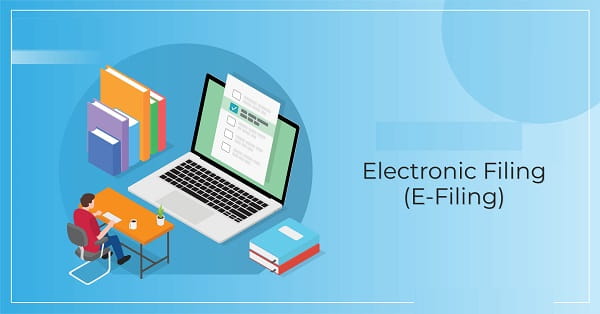
The ITR E-filing Process: Step by Step
Step 1: Log In
Go to the official Income Tax e-filing portal. Your PAN is the user ID. First time? Register using PAN, Aadhaar, and your mobile number.
Step 2: Pick the Right Form
This is where most errors happen. Wrong form means a defective return. You will have to refile.
| ITR Form | Who It Is For |
| ITR-1 (Sahaj) | Salaried, income up to ₹50 lakh, one house, no capital gains |
| ITR-2 | Salaried with capital gains or more than one property |
| ITR-3 | Business or professional income |
| ITR-4 (Sugam) | Presumptive taxation scheme |
Check which one applies to you before proceeding.
Step 3: Check the Pre-Filled Data
The portal fills in salary figures, TDS amounts, and bank interest automatically. Do not trust it blindly.
Go through every field. Match it against your Form 16 and Form 26AS. Fix what is wrong. This one step prevents most post-filing notices.
Step 4: Enter Your Deductions
Do not rush here. Every deduction you miss is money you pay unnecessarily.
This is also where Section 56(2)(i) and Section 57(i) come in, more on that in the next section.
Step 5: Review the Tax Calculation
Once everything is entered, the portal shows your tax liability. Look at it before hitting submit.
Paid advance tax or self-assessment tax? Enter the challan details here so it gets adjusted.
Step 6: Submit and Verify
Submit the return. Then e-verify within 30 days. You can do this via Aadhaar OTP, net banking, demat account, or bank EVC.
No e-verification means the return is not considered filed. Simple as that.
The Section 123 Confusion: What You Actually Need to Know
Here is something many people get wrong, including some tax guides online.
Section 123 is part of the Companies Act, 2013. It tells companies how to declare and pay dividends. It has nothing to do with individual taxpayers or income tax filing.
The sections that actually matter for dividend income in your ITR are Section 56(2)(i) and Section 57(i).
Section 56(2)(i): How dividends get taxed
Since 2020, dividends are not tax-free anymore. The Dividend Distribution Tax was scrapped. Now, any dividend you receive, from shares or mutual funds, gets added to your total income. You pay tax on it at your slab rate.
That is what Section 56(2)(i) says. Dividend income goes under “Income from Other Sources.”
Section 57(i): What you can deduct
If you borrowed money to invest in shares or mutual funds, the interest on that loan can be deducted. But only up to 20% of the dividend income you received. Nothing more. No other expense counts.
| What You Have | How It Is Treated |
| Dividend from shares | Taxable at your slab rate under Section 56(2)(i) |
| Dividend from mutual funds | Same, taxable at slab rate |
| Interest on the loan taken to invest | Deductible under Section 57(i), max 20% of dividend income |
| Any other expense | Not deductible |
Where to enter it: declare the dividend under “Income from Other Sources.” Enter the interest deduction in the same section. If you have an eligible loan, do not skip that field.
Deductions Most People Miss
These are common and often go unclaimed:
- Section 80C: up to ₹1.5 lakh. Covers PPF, ELSS, LIC, home loan principal, tuition fees
- Section 80D: health insurance premium for yourself and parents
- Section 24(b): home loan interest up to ₹2 lakh for a self-occupied property
- Section 80TTA: up to ₹10,000 interest earned from savings accounts
- HRA: if your employer has not already adjusted it in Form 16
The portal does not prompt you to enter these. You have to go looking.
Mistakes That Trip People Up
- Choosing the wrong ITR form
- Not cross-checking pre-filled data
- Skipping e-verification after submission
- Not declaring savings account or FD interest
- Ignoring Form 26AS before filing
To Wrap Up
ITR e-filing is not hard. Most of it is pre-filled. With your documents ready, it takes under an hour.
The real value is in the deductions. Section 56(2)(i) and Section 57(i) handle dividend income. Sections 80C, 80D, and 24(b) handle the bigger savings. Together, they can bring your taxable income down by a meaningful amount.
File on time. Check every field. Do not leave deductions on the table.