If your Groww Demat account login is not working, it can quickly become frustrating—especially when the stock market is open and every minute matters. Groww has become one of the most popular investment platforms in India due to its simple interface and beginner-friendly features. Millions of users rely on it daily for trading stocks, mutual funds, and other investments. However, like any online platform, Groww users may occasionally face login problems such as app crashes, OTP delays, incorrect credentials, or server-related issues. These problems can happen suddenly and may prevent you from accessing your portfolio or placing trades on time. The good news is that most of these issues are temporary and can be fixed easily with a few simple steps. In this article, we will explore the common reasons behind Groww login issues and provide practical solutions to resolve them quickly.
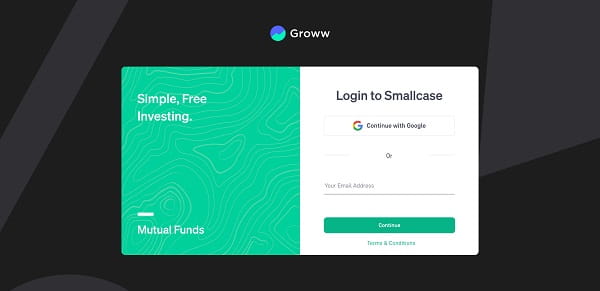
Common Reasons Why Groww Login is Not Working
Understanding the cause of the issue helps you fix it faster. Here are the main reasons:
1. Incorrect Login Credentials
Entering the wrong email ID, mobile number, or password can stop you from logging in. Even a small typing mistake can cause an error.
2. Server Downtime or High Traffic
During peak trading hours, the Groww platform may experience heavy traffic, which can slow down or temporarily block login access.
3. Poor Internet Connection
A weak or unstable internet connection can interrupt the login process or prevent the app from loading properly.
4. App or Browser Issues
Outdated apps, corrupted cache, or browser-related problems can lead to login failures.
5. OTP or Authentication Issues
Groww uses OTP-based login verification. Delayed OTP or entering the wrong code can cause login problems.
How to Fix Groww Demat Login Issues
Follow these simple and effective solutions:
1. Check Your Login Details
Make sure you are entering the correct email ID or mobile number and password. Avoid typing mistakes.
2. Reset Your Password
If you are unable to log in, use the “Forgot Password” option to reset your password easily.
3. Check Platform Status
Sometimes the issue is from the platform side. Wait for a few minutes and check if Groww is facing any downtime.
4. Clear Cache and Cookies
If you are using Groww on a browser:
- Clear cache and cookies
- Restart the browser
- Try logging in again
5. Update or Reinstall the App
Make sure your Groww app is updated to the latest version. If needed, reinstall the app to fix glitches.
6. Switch Internet Connection
Try switching between Wi-Fi and mobile data to check if the issue is network-related.
7. Disable VPN or Proxy
VPN services can sometimes block login access. Turn them off and try again.
8. Check OTP Carefully
Ensure you enter the correct OTP. If not received, wait for a few seconds and request a new one.
When to Contact Groww Support
If the issue continues even after trying all solutions, you should contact customer support. You may need help if:
- Your account gets locked after multiple login attempts
- You are not receiving OTP
- You suspect any security issues
- Login problem persists for a long time
Groww’s support team can help you resolve account-specific issues quickly.
Conclusion
Login issues in your Groww Demat account can disrupt your trading experience, but most of them are minor and easy to fix. Whether the problem is due to incorrect credentials, network issues, or temporary server downtime, following the right steps can help you regain access quickly. Keeping your app updated, using a stable internet connection, and entering correct login details can reduce the chances of such issues in the future. If the problem is from the platform side, it usually gets resolved within a short time. A calm and step-by-step approach will help you fix the issue without unnecessary stress.
FAQs: Groww Demat Login Not Working
Q: Why is my Groww login not working today?
Ans: It could be due to server downtime, incorrect login details, or internet issues. Try basic troubleshooting steps.
Q: How can I reset my Groww password?
Ans: Use the “Forgot Password” option on the login page and follow the instructions to reset it.
Q: What should I do if I am not receiving OTP?
Ans: Wait for some time and click on “Resend OTP”. Also, check your mobile network connection.
Q: Can Groww server go down?
Ans: Yes, Groww may occasionally face downtime due to high traffic or maintenance.
Q: Can I use Groww on multiple devices?
Ans: Yes, but you may need to complete OTP verification when logging in from a new device.